

Conversations on accessibility compliance often focus on technical matters when one of the biggest culprits isn’t in the HTML. According to the Web Accessibility Checker’s audit guide, about 78 percent of audited sites fail color contrast. An important note is that the issue isn’t only about compliance but also effective design. If the color mix makes a message difficult to understand, then it is a design failure.
The U.S. (ADA Title II, for state and local governments) and EU (European Accessibility Act) use the following two ratios as their baseline:
- 4.5:1 — normal text (below 18pt regular or 14pt bold)
- 3:1 — large text (18pt+ regular or 14pt+ bold) and UI components containing visual information
Decorative elements, inactive/disabled controls, and logotypes are exempt from these requirements. However, these exemptions lead many designers to overlook the requirement for the following:
- Text inputs, textareas
- Checkboxes, radio buttons
- Toggle switches
- Select/dropdowns
- Buttons (border if that’s the only visual indicator)
- Sliders (track and thumb)
- Progress bars
- Focus rings on any interactive element
- Meaningful icons
Section 508 itself still references WCAG 2.0; the 3:1 rule for UI components comes from WCAG 2.1.
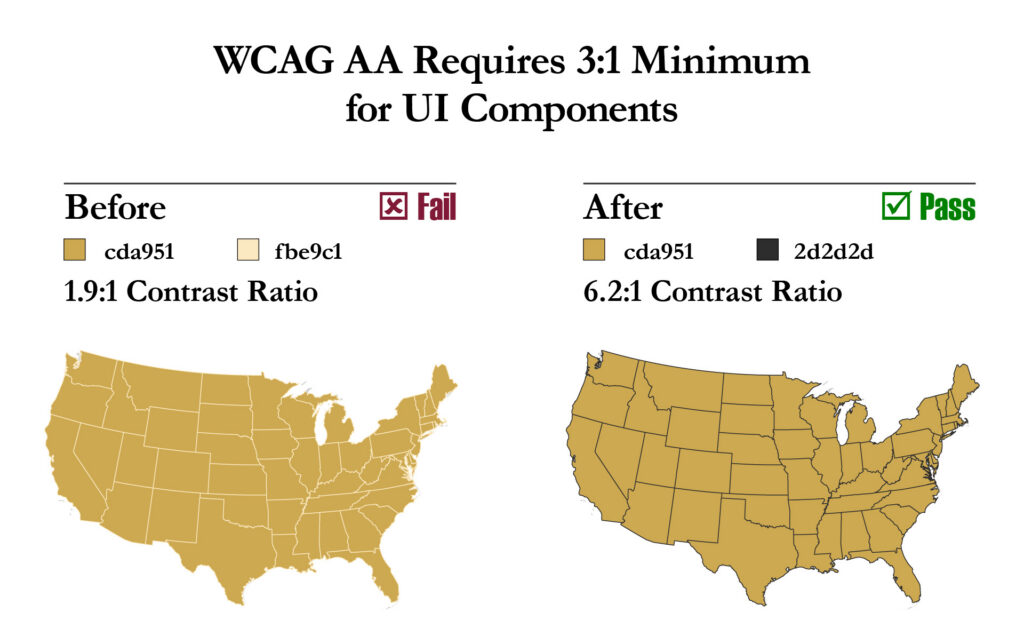
Color blindness affects 8% of males and 0.5% of females and general vision impairment affects even more, according to Colour Blind Awareness and the WHO, respectively. Curiously, neither source counts the number of people squinting to see their devices in sunlight. In all these situations, if the color contrast fails, the audience won’t get the message. And that is not successful design.
Keeping accessibility at the forefront early in the design process saves time and money. WebAIM’s Contrast Checker provides ratios and WCAG scores, giving designers the option to check colors against one another, before development. Alternatively, I made Palette Studio, which generates color palettes with WCAG contrast data and other evaluable accessibility information to help refine choices during the design process. It is free to use. TPGi has several accessibility tools, including the free Colour Contrast Analyser (CCA), an eyedropper tool that works on any app or file.